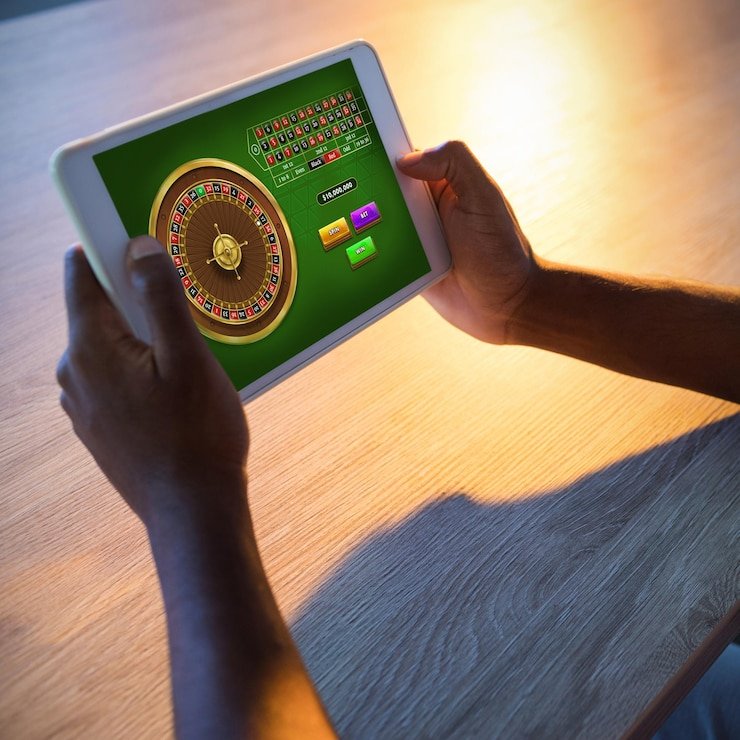
The pk345win app experience runs through your mobile browser — no separate download required to reach your account, your wallet, or the game lobby. Access depends on your region and local law; where it is available, the full account dashboard loads on any modern smartphone screen.
Getting into your pk345win account on mobile does not need an APK file or an app-store listing. Open your phone browser, type the current domain — pk345win — and the site loads in a layout built for smaller screens. From there, the sign-in fields are the same ones you use on desktop. Once logged in, your wallet balance, transaction history and the game lobby are all reachable from the bottom navigation bar. If the domain has changed for your region, the published support channel will share the current working address. No file installation, no storage space needed beyond your browser cache.
Open the Current Domain
Type pk345win directly into your mobile browser address bar. No redirect or store link is needed — the site opens straight from the URL.
Check Browser Compatibility
The site renders on Chrome, Safari and most Android browsers. If a page element does not display, try clearing your browser cache before contacting support.
Sign In Securely
Use your registered account credentials on the login screen. The fields and verification steps shown there are the ones to follow — do not share credentials with anyone.
Confirm Your Wallet Is Active
After login, your wallet balance shows on the account dashboard. Check transaction records there before navigating to the game lobby or placing any bets.
DEVICE CHECKLIST
Which Devices Work With the pk345win App
The mobile site is built to respond to screen size rather than requiring a specific operating system version. That said, a few conditions matter. Your browser should support modern JavaScript and cookies — most phones shipped in the last four years handle this without any settings change. Account login requires a stable data connection; the game lobby will not load properly on a very weak signal. If you are unsure whether your device is currently supported, the quickest check is to open pk345win in your browser and see whether the login screen renders fully. The compatibility details shown inside your account settings page are the authoritative source — we update that section as device support changes.
Mobile Browser
Chrome and Safari are the browsers where we have confirmed the layout renders correctly. Other browsers may work, but if you see display issues, switching to Chrome is the first step.
Screen Layout
The lobby, wallet and account pages reflow automatically for portrait and landscape orientations. No manual zoom should be needed on a standard smartphone screen.
Account Requirements
A verified account is required before the wallet and game sections become accessible. The verification steps are shown on the account page after you first log in.
Currently Supported Devices
The account settings page inside pk345win lists device guidance that we keep current. That is where to check if you are on an older phone model or a less common browser.
Data Connection
Live casino tables and crash games like Crash Limitless need a steady connection to load correctly. A 4G or Wi-Fi connection gives you a more stable session than 2G or a congested network.
APP HELP PATHS
Where to Get Help With Mobile Access
If you run into an issue on the pk345win mobile site — a page that will not load, a login error, or a wallet balance that is not refreshing — there are three routes to get it sorted. The support team can walk you through the browser steps that resolve most mobile display problems. For account-specific questions, having your registered email address ready will speed things up. The published help section inside the site also covers common browser and device questions, so checking there first can save you time before reaching out directly.
Live Support Chat
Open the chat icon on any page of the pk345win mobile site. Describe your device and browser version so the support team can give you the most accurate steps for your setup.
Email Support
For non-urgent account or access questions, email support is available through the contact address listed in the Help section of your account dashboard. Include a screenshot of any error message you see.
In-Site Help Pages
The Help section accessible after login covers browser access steps, account recovery and wallet questions. It is updated when access paths or domain details change, so check there first for mobile-specific guidance.
ACCESS TRUST CHECKS
Four Things to Verify Before You Log In
Mobile access through a browser means the domain you type matters. Using the correct address — pk345win — is the first and most practical trust step, especially if you have seen other URLs shared informally. Beyond the domain, there are three more account-side checks that keep your session and wallet safe. These are not abstract recommendations; they are the specific steps that prevent the most common account access problems we see reported through support.
Confirm the Domain
Only use pk345win or the address published in the official support channel. If a link from a third party sends you somewhere else, do not enter your credentials on that page.
Check Published Device Guidance
The account settings section lists the browser and device combinations we currently support. Reviewing that before a session saves time if your phone is on an older software version.
Protect Your Account Credentials
Your login email and password should not be saved in a shared browser profile or passed to anyone claiming to be support. Support staff will never ask for your password.
Use the Published Recovery Path
If you are locked out, follow the account recovery steps shown on the login screen — not instructions from an unofficial source. The recovery fields ask only for your registered email and verification step.
WHAT LOADS ON MOBILE
What the pk345win Mobile Site Actually Shows
When you open pk345win on your phone, the first screen after login is your account dashboard — wallet balance at the top, recent transaction summary below it, and the navigation bar at the bottom pointing to the lobby, account settings and help. The game lobby organises titles by category: slots from studios like Pragmatic Play and Spadegaming, live casino tables, crash games including Crash Limitless, and table games such as Blackjack Ace and Baccarat Highrollers. Cricket-led sports betting is listed under the sportsbook tab, which is where PSL and international cricket markets appear when available. Each category page loads as a scrollable grid that fits a phone screen without horizontal overflow. Help pages and the wallet section are reachable from the same bottom navigation — you do not need to return to a separate desktop view for any of these functions.
MOBILE PAGE BEHAVIOUR
How the Mobile Site Behaves on Your Screen
The mobile layout of pk345win is built around what actually renders in a phone browser — not features that require a native app install. Every section described below reflects what you can see and interact with after logging in through pk345win on a standard smartphone. There are no claims here about push alerts, offline access or biometric shortcuts — those depend on native app builds that we do not confirm without verified release information.
Responsive Navigation
The bottom navigation bar stays fixed as you scroll, so the lobby, wallet and help pages are always one tap away. No pinch-zoom or horizontal scroll is needed on a standard phone screen width.
Account Dashboard Access
Your wallet balance, transaction records and account settings load on the first screen after login. Transaction history shows cleared deposits including those made via Raast and Bank Transfer — check this before heading to the lobby.
Game Discovery by Category
The lobby grid sorts titles by category — slots, live tables, crash games, sportsbook — so you can move directly to the section that matches what you want to play. Prize Carnival and Football HatTrick each sit in their respective category tabs.
Help Pages on Mobile
The Help section is fully accessible through the mobile browser, covering wallet questions, browser compatibility steps and account recovery. No desktop redirect is needed to read or submit a support request.
APP QUESTIONS ANSWERED
Common Questions About the pk345win App
These are the questions we see most often from people trying to access pk345win on a mobile device. Each answer is based on how the mobile site actually works — not on assumed native-app features.
Is there a pk345win app I can download from Google Play or the App Store?
We do not confirm a native app listing without verified release information. The full pk345win account — wallet, lobby and help — is accessible through your mobile browser at pk345win without any store download. Check the official site for any app release announcements.
Do I need to install an APK file to use pk345win on Android?
No APK installation is needed to access your account. Opening pk345win in your Android browser gives you the same account dashboard, wallet and game lobby that a native app would show. If an APK is ever officially released, the announcement will appear on the site itself.
Which browser works with the pk345win mobile site?
Chrome and Safari are the browsers where the layout is confirmed to display correctly. If you see a broken page on another browser, switching to Chrome and clearing your cache resolves most display issues before you need to contact support.
Can I deposit via Raast or Bank Transfer through the mobile site?
Wallet and payment options — including Raast, Bank Transfer and Debit Card — are accessible from the account dashboard after login on mobile. The exact steps and fields are shown inside the wallet section; follow those rather than any third-party walkthrough.
What should I do if the pk345win mobile site does not load on my phone?
First, confirm you are using pk345win — not a different URL. Then clear your browser cache and retry. If the login screen still does not render, contact support through the chat or email route and mention your device model and browser version.
Does the mobile site show the same game lobby as the desktop version?
Yes — titles from Pragmatic Play, Spadegaming, CQ9 and other site studios are available in the mobile lobby, organised by category. Crash Limitless, Baccarat Highrollers and the sportsbook tab all appear in the same mobile navigation. No category is hidden on smaller screens.
 Sports / Mobile